PC gamers can now play Halo: Campaign Evolved in split-screen thanks to modder
According to the modder, the code and scripts for the feature had already been available in the PC version, just hidden.
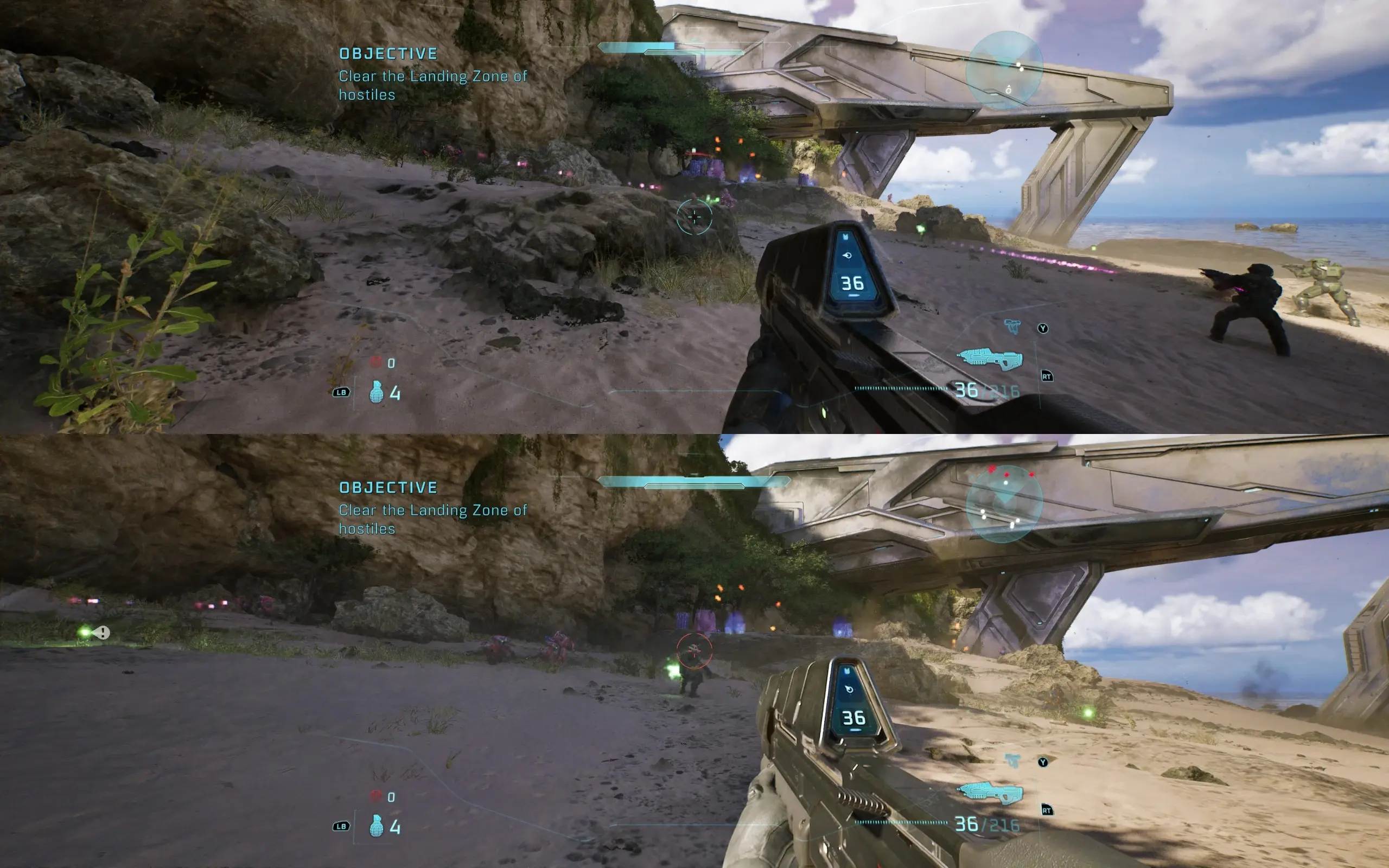
Halo: Campaign Evolved launched across PC and consoles yesterday for standard edition buyers. While the remake experience is mostly the same across all platforms, there is one feature that's exclusive to consoles, and that is local split-screen cooperative play. This is only available to Xbox Series X|S and PlayStation 5 players, leaving only the PC gamers without it. However, it looks like the functionality had just been hiding under the hood.
A user named JPurd123 on NexusMods published a new mod for Halo: Campaign Evolved on July 28, the same day the game released. This is focused on enabling a single feature: the missing local split-screen co-op on PC.
According to the modder, the code and scripts for the feature had already been available in the PC version. However, unlike in the console versions, the PC version's menus never displayed them, which is what the mod changes.
"The console builds of Halo: Campaign Evolved ship local split-screen," says the mod description. "The PC build never had it stripped out — it ships with split-screen already enabled in config (bUseSplitscreen=True), and the split-screen HUD layouts, the sign-in UI, the splitscreen VFX variants and the audio parameters are all still cooked into the game files."
There are some bugs with the implementation, though, which may be why the feature is locked away in the PC version, at least for now. Some users are reporting that using controllers for all players is the best way to make the mod work in split screen. Having a keyboard and mouse player can cause issues like the second player not being controllable. Be sure to read the instructions and known issues before jumping in.
Only the Steam version is currently supported, with the Xbox app version being untested for now. The UE4SS scripting system is also a requirement before installing this mod. Full instructions can be found on the NexusMods page here.