4 tricks I use to make my 7-year-old Kindle feel brand new
I didn't actually realize how old my Kindle was until I went on Amazon to see when I bought it. As it turns out, I have the 2019 base Kindle model, but nobody told my Kindle that. It still runs quite well, at least as well as a Kindle can. These devices weren't ever known for their speed, but that doesn't mean you have to put up with sluggish performance. I upgraded from my old Paperwhite for that reason -- and a few others -- but thanks to some handy tips, I've kept my current Kindle running smoothly.
Sure, there are some issues, but it's typically something I can put up with or fix quickly. A lot of what makes my Kindle feel new is also perception. Putting a fresh coat of paint on something works wonders, and even if your Kindle is close to a decade old like mine, that doesn't mean it can't feel modern. Perhaps some of these tips will help you as much as they've helped me.
When in doubt, restart the Kindle
It works for everything

My number one piece of advice for electronics is to give them a good old-fashioned restart if they're not working. For many things, that means unplugging them and plugging them back in, but you need to actually power cycle your Kindle. You can do this through the settings, or you could just hold the power button down long enough for it to restart. No matter the path you take, this will give your Kindle a fresh start of sorts.
No, it doesn't wipe the storage, but it does close everything and make it start anew. This means anything running in the background isn't open anymore, and that's why it's beneficial for many devices, not just the Kindle. Kindles don't typically have as many background services running as other tablets, but that doesn't mean a restart can't fix any slowdown you're running into. This is my number one piece of advice to anybody experiencing sluggishness on any device, and it's what usually fixes the problem for me. There's a reason people always ask if you tried unplugging it and plugging it back in.
Uninstall books I'm done with
They're still there in spirit

A habit I've gotten into after finishing a book is instantly uninstalling it. A nearly full hard drive is never good, and it always makes devices run slower, whether that's a PC or your Kindle. It's very easy to fall into the trap of thinking you'll go back and look at what you've underlined, but in my experience, I never do that. When I'm done with a book, I'm ready to move on. Doing this makes sure my Kindle's hard drive is never filled, and it keeps my device running smoothly.
It's just a good habit to get into with not only your Kindle, but all of your devices. It's one of the things I recommend for speeding up your Apple TV 4K, and it works great for me there as well. My PC will actually give me a warning when my hard drive is getting too full, so it's clear this stuff has an impact on performance. Fortunately for a Kindle, the only thing you need to get rid of is books, and if you ever need to install one again, it doesn't take a lot of time at all.
Give it a new case
I'm being serious

For a Kindle as old as mine, tips and tricks can only take it so far, but a cosmetic change can give it some new life. For example, I have a Game Boy Color that I popped an OLED screen into that makes it feel like a new device. Of course, this is still a Game Boy Color we're talking about. It's still decades old and still has the same performance, but it feels like something new. The same thing can be done for your Kindle.
If you find yourself growing disillusioned with your current Kindle, the answer isn't to automatically go out and buy a new one. Sometimes, you just need to pop on a new case. My Kindle has a cool horror-themed case on it that flips open. When I open the cover, the Kindle wakes up from sleep mode, so it makes it very easy for me to use, and it's comfortable. This doesn't make it run any faster, but it has made it more enjoyable to use, especially during the Halloween season.
Check for a software update
Stay up to date
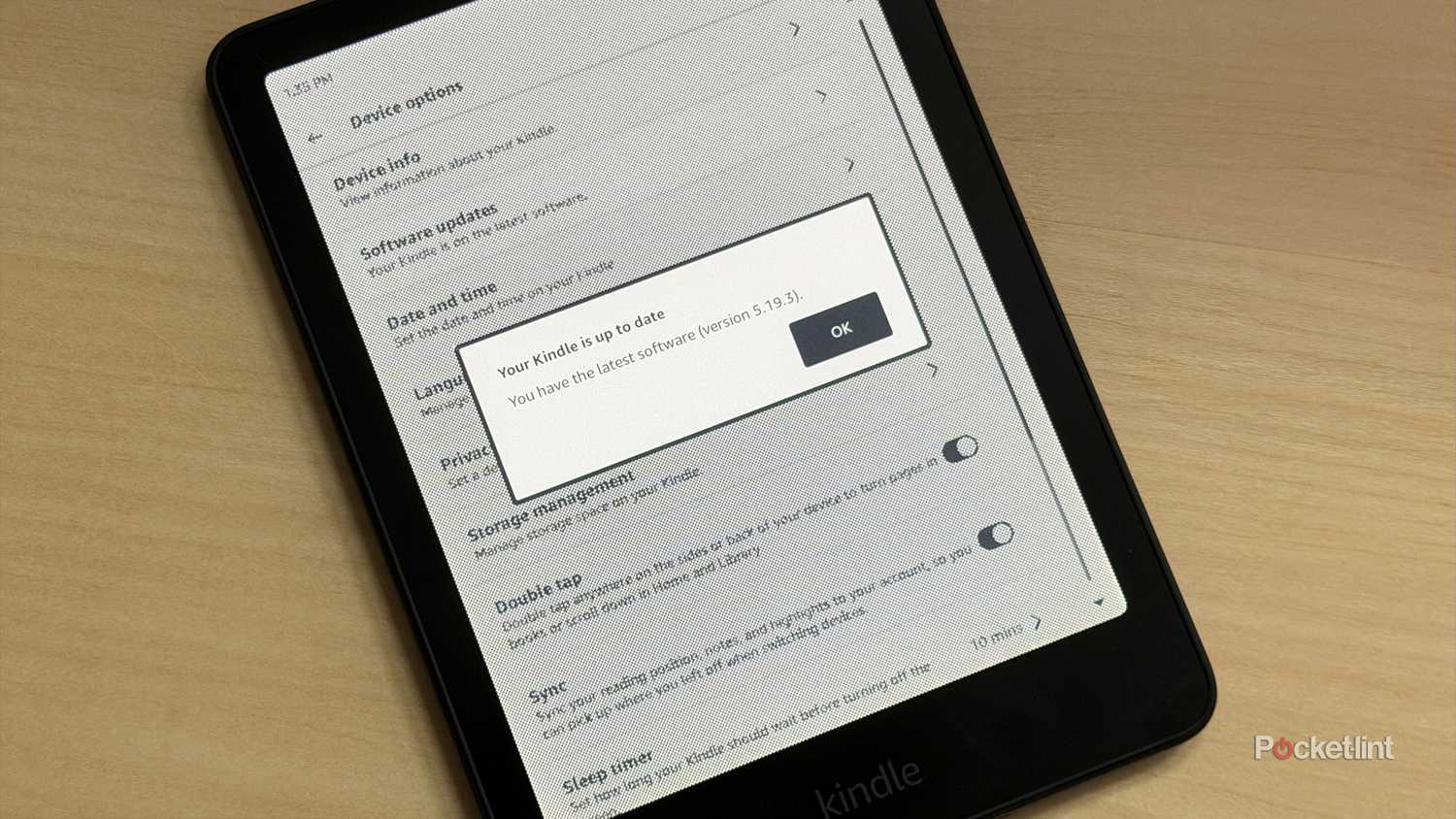
Something you should do, especially if you haven't used your Kindle in a while, is check for a software update. This is good practice for all devices that you connect to the internet regularly, as it can push important updates that give increased performance. Your Kindle is really no different in that regard, and while software updates aren't as frequent as something like your phone, they still show up.
Software updates aren't typically that exciting for a Kindle since you won't get new features, but you could see some performance gains. If you stay connected to Wi-Fi all the time, you're probably already up to date, but if you're somebody who likes to disconnect once they install all the books they need, I would consider connecting again and checking for an update. It doesn't hurt, and it only takes a few seconds to do this anyway. Maybe you could squeeze out some performance as well.